Writing every word yourself
- A blank page waiting after each session
- A treatment plan built field by field
- DSM-5-TR criteria looked up by hand
- Scores and goals re-keyed from the chart
- The note still open after dinner
BetaVadia is still being built. You will find rough edges — we would rather you found them than your patients did. Report something broken
Pick your note form, hit record, and stay in the room. Vadia AI Noter drafts the progress note, the SOAP, and the treatment plan that used to eat your evening. You review, change anything, and sign.
No AI add-on. No per-note fee. No per-minute charge. It's in every plan from day one.
Free for 30 days. Your card isn't charged today, and you can cancel anytime before the trial ends.
The second job nobody signed up for
In a time-and-motion study of 57 physicians across four specialties, clinicians spent nearly two hours on electronic health records and desk work for every hour of direct patient care — and another one to two hours of clerical work at home each night.
Behavioral health carries its own version of that load: a note after every single session, and a treatment plan with dozens of fields that can take an entire evening to build from a blank page. That time comes out of your caseload, your family, or your sleep — and it never shows up on an invoice.
The assistant drafts; you decide. Recording is consent-based and off by default, nothing is ever auto-signed, and you remain the author of every word in the record.
Three separate one-hour sessions every Saturday on credentialing, opening a practice, and running it in software, starting 12 September. Free, live, in English and Spanish. Come to one or all three.
Saturdays at 10, 1, and 3 — Central. First session Saturday 12 September.
See the sessionsTreatment plans
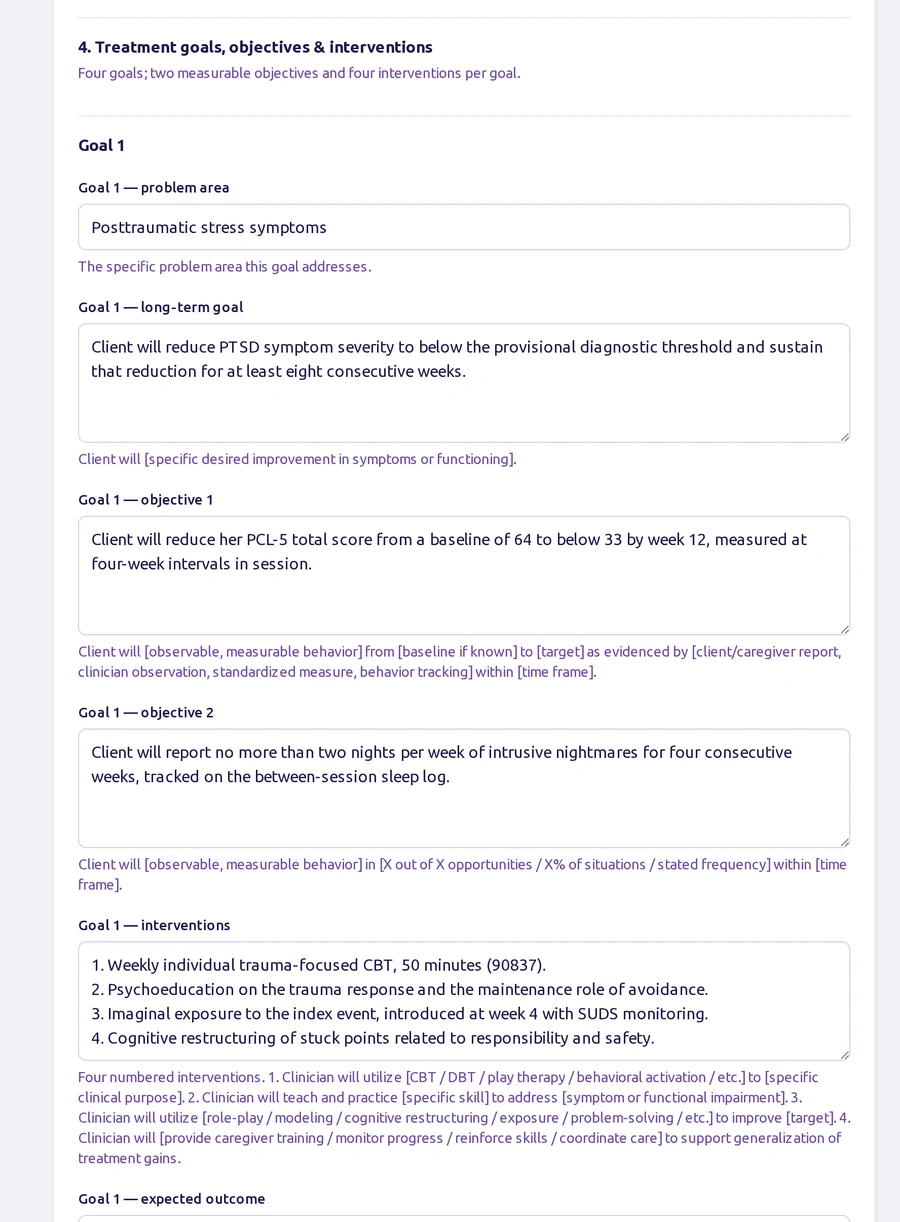
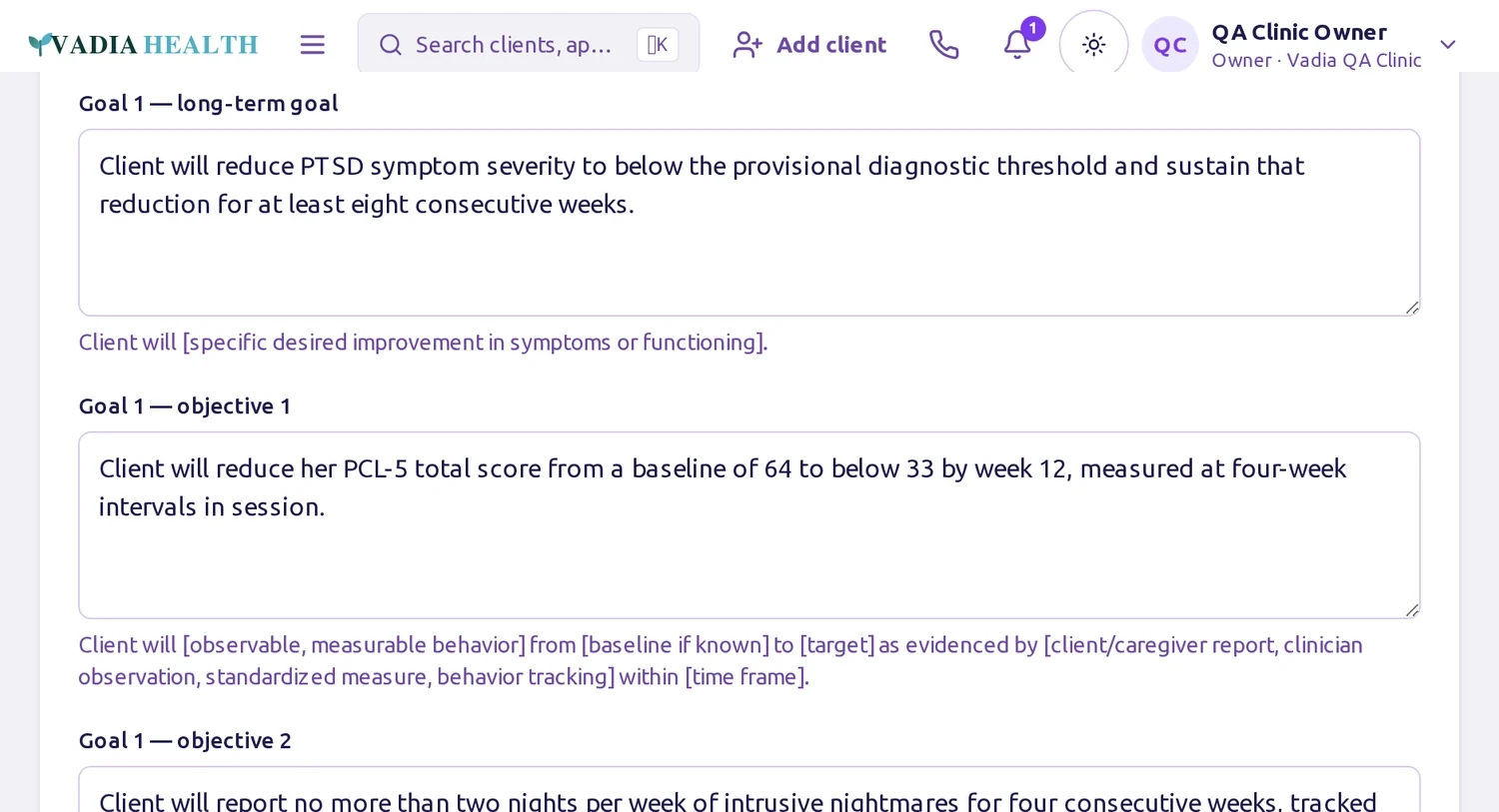
Vadia's treatment plan is the full payer-ready instrument — presenting problem, functional impairment across six life domains, a medical-necessity statement, strengths and barriers, and four goals with two measurable objectives and four interventions each. AI Noter drafts it from the session straight into that form, using your dropdowns and your language.
Diagnosis support
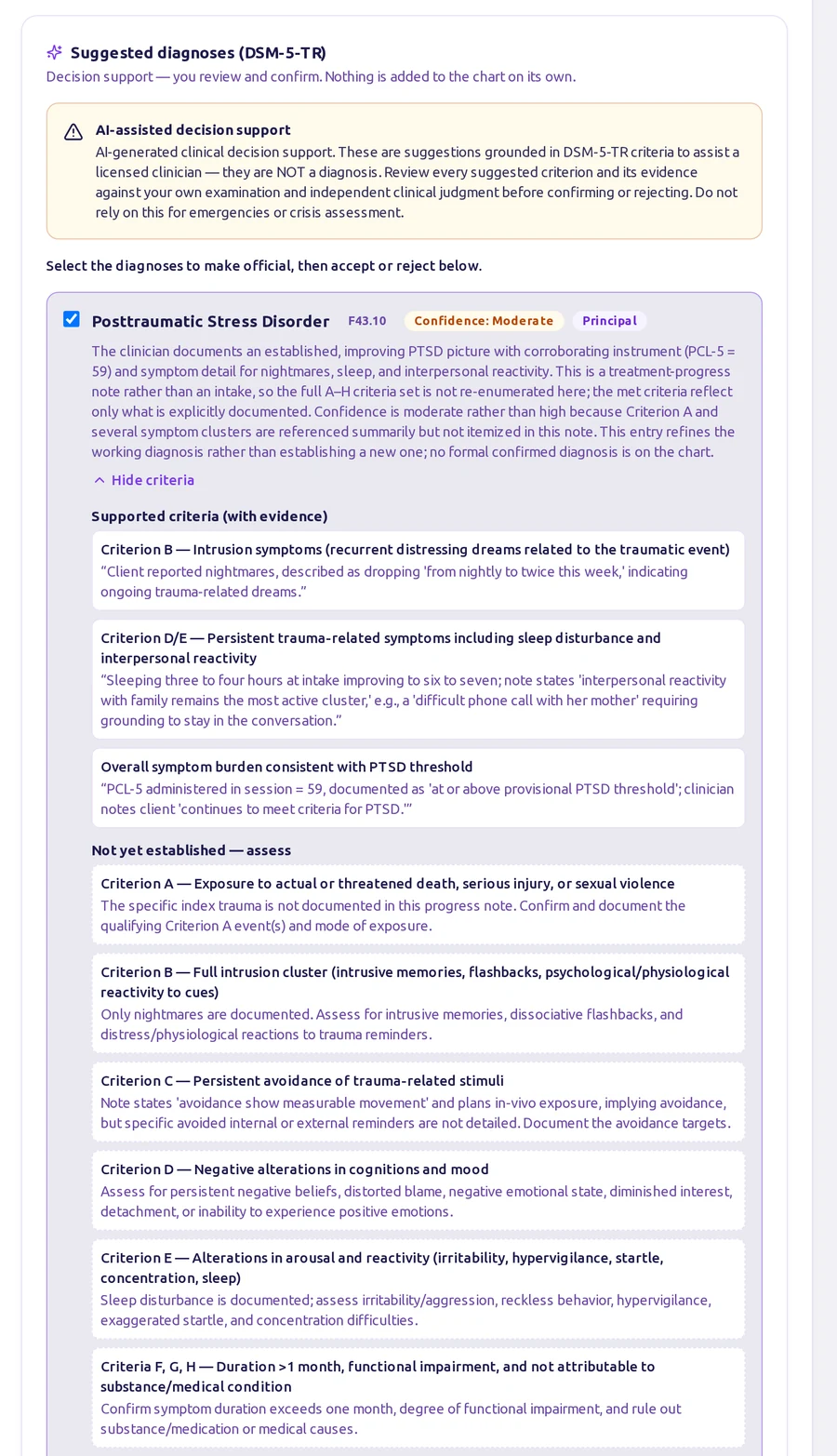
Ask for suggested diagnoses and Vadia reads the note you just wrote against DSM-5-TR criteria. Each suggestion comes back with a confidence level, a plain-language rationale, and criterion-by-criterion evidence quoted from your own documentation — along with what is not yet established and worth assessing next.
Progress & outcomes
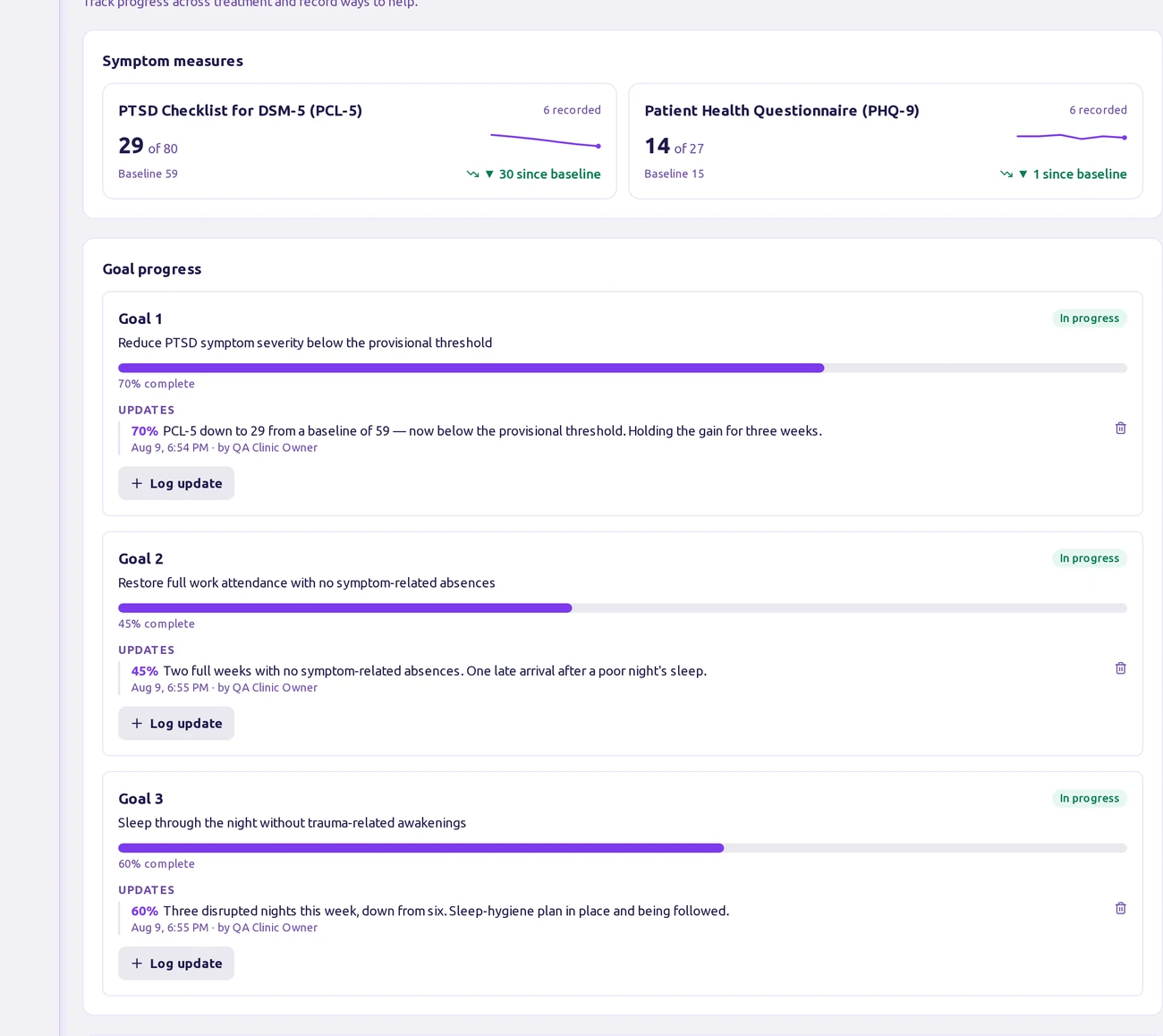
Every screener you score in session lands on the client's progress view: baseline to latest, the direction of travel, and how far each treatment goal has moved. The same trend appears inside the note while you're writing about it — so measurement-based care stops being a separate chore.
Built for behavioral health
One connected system for notes, scheduling, telehealth, billing, and a bilingual portal — so your team stops stitching tools together and starts getting time back.
Intake, scheduling, and messages in English or Spanish with a tap — so clients understand, engage, and keep their appointments.
A drag-and-drop calendar with automated reminders and clear availability, so your days fill up and empty slots don't.
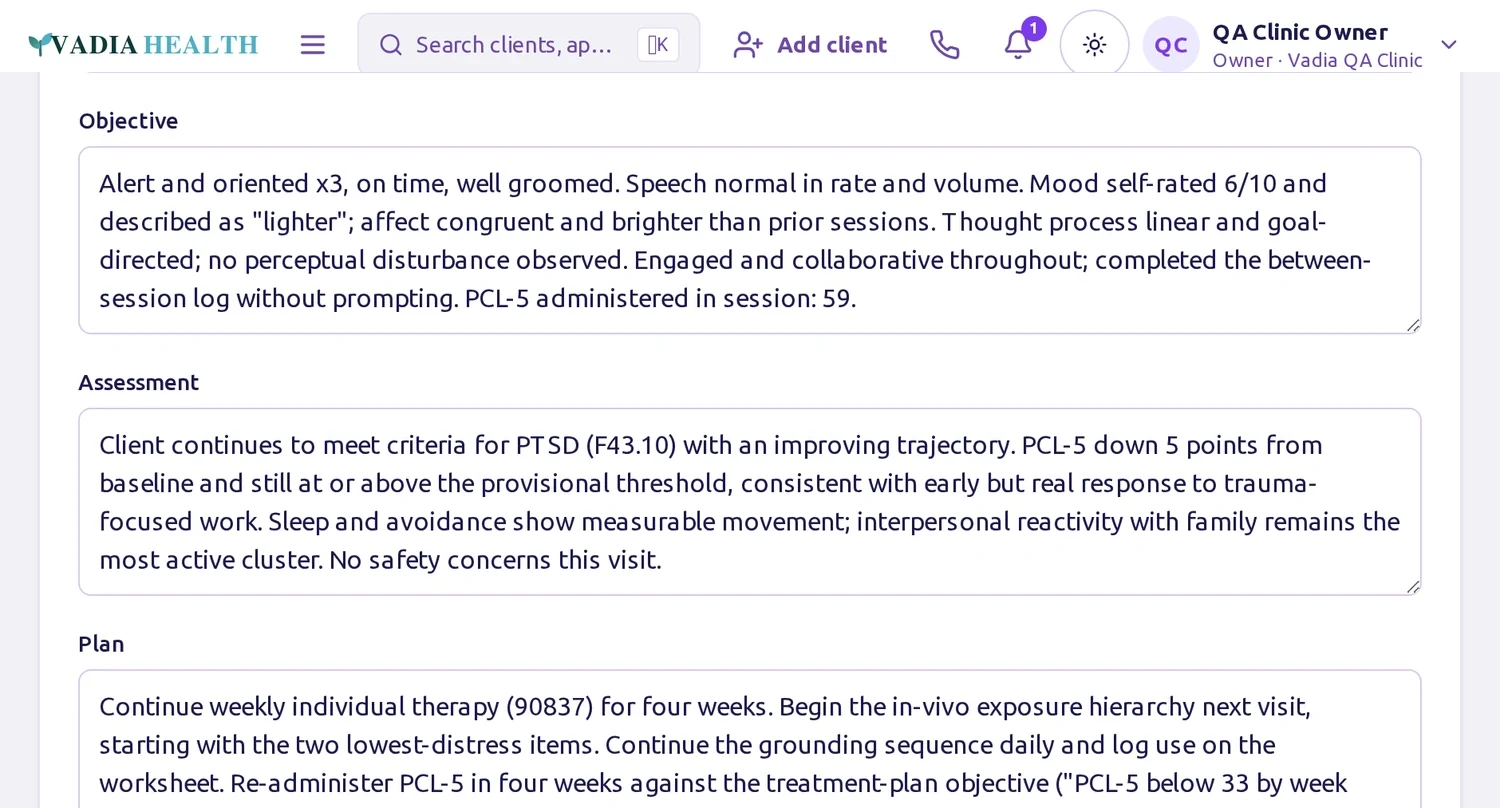
Pick your note form and hit record — Vadia AI Noter records the session and drafts the note into that form, included in every plan. You review, edit, and sign; the blank page is gone.
Built-in telehealth plus eligibility, claims, and card payments — so seeing clients and getting paid live in one place.
Everything, in one place
This is the complete clinical core — and every bit of it is included in your plan. Search it, filter it, and see the whole platform your practice runs on. No usage tiers, no locked “premium” charting. A few optional power-ups — Comms, White-label, Clinic Status, and the AI Center copilot — are paid add-ons you can turn on when you want them.
214 of 214 shown
Fill your days without the phone tag.
Secure video, right in the chart.
Pick a form, hit record, review, sign.
Documentation that's done before you leave.
Paperwork clients finish before the visit.
Screeners scored the moment they're done.
Every consent, signed on any screen.
Track supervised hours to the board's minimums — and get them signed.
Credential yourself with every payer — guided, tracked, and never lapsed.
One bilingual home for your clients.
Your own practice line — in the record.
A full business phone line for your front desk.
Keep the team and clients in the loop.
Get paid without the chase.
Copays and invoices, one tap.
See the whole practice's money.
Care that continues between visits.
Know your practice at a glance.
Every client detail in one place.
Private by clinic, branded as yours.
Your brand and web address, everywhere clients look.
The little things that keep you moving.
The clinical core is fully included in every plan. Four optional add-ons layer on when you want them: Comms (your own voice, SMS & fax line), White-label (your brand + custom domain), Clinic Status (owner insights), and the AI Center business copilot. Everything else here comes standard.
How it works
No long forms, no pressure — just a workspace that's ready when you are.
Step 1
Set up your bilingual workspace in minutes and make it feel like yours.
Step 2
Bring clinicians and staff into a space that already speaks their language.
Step 3
Share a bilingual portal your clients actually use — and let Vadia AI Noter start saving you time from the very first session.
No dark patterns. No pressure tactics. Just clear tools that treat everyone's attention with care.
Clear, jargon-free copy that reduces cognitive load for staff and clients.
Built to WCAG AA, with generous tap targets and flawless small-screen layouts.
Grounded colors, gentle motion, and forgiving flows that never rush you.
Vadia Claims
Your notes already hold everything a claim needs. Vadia Claims turns a signed session into a clean CMS-1500, files it electronically, and tells you what the payer said — so nobody re-types a claim into a portal at 9pm.
Every claim runs through a scrubber first — missing diagnosis, missing member ID, a date of service outside the filing window. You fix it here instead of learning about it from a rejection six weeks later.
Verify a client's insurance in seconds, and let Vadia re-check the whole roster every month. Texas Medicaid plans change assignment constantly — this is how you find out before the session, not after the denial.
Acknowledgements and payer responses come back into Vadia on their own. A claim moves from submitted to accepted to paid on your screen, and anything the payer refuses lands in a denial worklist with the reason attached.
When the payer pays, the remittance is read line by line and matched back to the claim — what was allowed, what was written off, what the client still owes. Your ledger updates without a spreadsheet.
Simple pricing
One plan covers everything the rail does — filing claims, checking coverage, chasing status, and pulling payments back in. No second meter running quietly in the background.
100 transactions / month
$42.50/mo
200 transactions / month
$85/mo
440 transactions / month
$170/mo
1,200 transactions / month
$425/mo
1,800 transactions / month
$637.50/mo
2,400 transactions / month
$850/mo
Your plan pools all four. Use them however your practice actually works — there is no per-item price to weigh up before you click.
Need more than your plan in a busy month?
Nothing stops. Additional transactions beyond your plan are $0.95 each and appear on your next invoice — no cap to watch, no plan to change mid-month.
We set it up with you
Three hours of onboarding in your first week, at no charge. We configure your system alongside you, and we export your current clients from whatever you use today and import them into Vadia — free. Nobody is handed a login and wished luck.
Vadia Claims covers professional (CMS-1500) claims. Some payers require a short enrollment before electronic payments can be sent — we handle that with you, and the enrollment itself is free.
Make it yours
Every plan comes with the full core suite — charting, scheduling & telehealth, the bilingual portal, forms & e-sign, billing, and Vadia AI Noter. Add Communications whenever you want a dedicated practice line.
An optional add-on that gives your practice its own business line. Call clients from an in-app softphone, send SMS appointment reminders and confirmations, and send and receive faxes — all in the record, so no one hands out a personal cell number.
Immigration Evaluations
Record the forensic interview, let AI draft the psychological evaluation, and assemble a fully-branded packet — asylum, VAWA, U/T-visa, extreme hardship, and cancellation of removal. Human-reviewed; nothing is ever auto-signed.
See it in action
Every Vadia plan includes a branded public website and a bilingual client portal — in your clinic's own colors. Click through a live, interactive sample.
A full white-label public site — home, about, request, book, refer, and contact — with a built-in color-theme switcher so you can picture your brand.
Open clinic demoFor your clientsThe bilingual client dashboard your patients use — appointments, messages, forms, and billing at a glance, on any device.
Open portal demoSample clinic and data, for demonstration only.
Start today with the full platform and Vadia AI Noter included. Your card isn't charged until the trial ends, and you can cancel anytime before then.
No credit card charged today.